
What Is Morphe?
Morphe APK is an open source patcher for Android. It takes a copy of an app you already have, applies the patches you pick, and installs the result as a separate patched copy. The original app stays untouched, and the patched copy gets its own icon and name, so you can tell the two apart at a glance.
The project is published by the MorpheApp open source team, and it grew out of the community that built the earlier generation of Android patchers. Patching happens on the device itself: you choose a target app, choose patches, and Morphe APK rebuilds that app with your choices baked in. There is no account wall in front of the patcher, and no subscription is needed to use it.
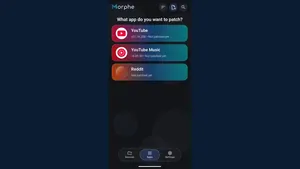
Morphe APK works with a small set of target apps, led by YouTube, YouTube Music and Reddit. Patch bundles, called sources, supply the actual patches. You add a source, pick a target app, and the patch list for that app appears. Some patches change playback, some change the look of the app, and some remove annoyances like ads and sponsored segments.
Sign in is a separate piece. Patched apps cannot use the standard Google sign in on their own, so a companion app called MicroG RE handles the sign in step for patched apps that need it. Install it once, sign in inside the patched app, and the patched app behaves like a normal signed in app from then on.
Why People Use Morphe
People use Morphe for control. A stock video app decides what you see, when an ad interrupts, and whether playback continues when the screen goes off. A patched copy hands those decisions back. Ad blocking, background playback, SponsorBlock segment skipping, and a cleaner interface are the patches people reach for first, because they change every single session.
The second reason is choice of detail. One viewer hides Shorts and the comments drawer. Another keeps everything but changes the theme, the app icon and the header logo. A third turns on fine playback controls like custom speeds and quality defaults. Morphe app treats all three as normal, because patches are picked one by one instead of sold as a fixed bundle.
The third reason is that nothing about the original app is risked. Patching builds a new copy, so the original stays installed and working. If a patched copy misbehaves, delete it and patch again with different choices. That safety net is what makes experimenting with patches painless, even for a first time patcher.
Main Features
These are the features patchers actually use week after week, not a list of promises. Each one answers a real moment in the patching loop.
- Simple mode for one tap patching. Curated defaults patch a target app with a sensible set of choices, no patch list reading required.
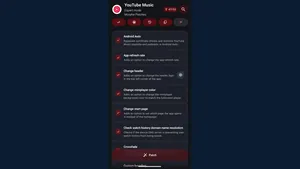
- Expert mode for full control. Every patch is listed with its own options, including experimental support for newer target app versions.
- Patch sources you can add. Add any compatible patch bundle by link, and toggle pre-releases per source when you want early patches.
- Custom name, icon and theme. Rename a patched app, pick its icon, and set theme colours and header style per app.
- Split APK support. Morphe patcher merges split APK parts and skips modules for architectures, locales and densities your phone does not use.
- Root and non root installers. Non root installs work through the standard installer, while rooted phones can use a mount based installer that survives updates without data loss.
- Backup and restore. Export settings and patch selections, and keep a signing keystore so updates to a patched app keep working.
- Update notifications. Morphe APK checks for new patcher and patch releases in the background, even when the app is closed.
Supported Apps
YouTube is the flagship target. Patches cover ad blocking, background playback, SponsorBlock, Return YouTube Dislike, playback speed control, quality defaults, hiding interface clutter like Shorts, and a pure black theme for OLED screens. It is the longest patch list in the project, and the one most patchers start with.
YouTube Music gets a tighter list built around listening: ad free music, background playback for all content, audio only mode, Android Auto support, and the same theme and interface controls as the video app. If you listen more than you watch, this is the patch set that pays off daily.
Reddit is the third target, with patches for its feed, interface and playback. Support for each target depends on the patch bundle you add, so the honest rule is to check the patch list inside Morphe for the app you care about before assuming a patch exists. New targets arrive through new patch bundles, not through app updates alone.
A desktop patcher also exists for patching on a computer, which suits people who prefer a keyboard, a big screen and drag and drop over doing everything on a phone.
Device Compatibility
Morphe APK is made for Android phones first, and that is where it feels most at home. Android 8.0 or newer is recommended, and the patcher runs on ordinary mid range phones without complaint. Patching itself is heavier work than browsing, so a phone with some free RAM and storage patches faster, but even modest phones finish a patch in a minute or two.
Tablets run the same patcher with more room for the patch list, which helps in Expert mode where long lists are the norm. Patched video and music apps also run on tablets, and on Android TV boxes where the target app itself supports television use, though Morphe APK interface is designed for touch, not for a remote.
On a PC, the desktop patcher covers the same job with a mouse and keyboard. That route suits batch patching and people who keep their app files on a computer. Whatever the device, the rule that matters most is matching the target app file to a version the patch bundle supports, because a mismatched file is the most common cause of a failed patch.
Technical Details
Morphe APK is an Android application in the tools category, distributed as an APK file for sideloading. It is free and open source, and it is built for Android phones and tablets rather than for any single brand of device.
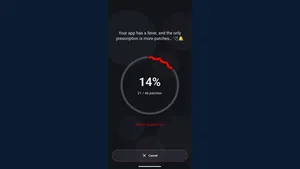
Patching works on bytecode, not on the screen. Morphe app reads the target app file, applies each chosen patch to the app code and resources, signs the result with your keystore, and hands the finished file to the installer. The patched copy installs alongside the original with a different package name, which is why both can live on one phone without fighting.
Permissions stay close to what a patcher needs: storage access for reading app files and writing patched copies, install access for the finished file, and network access for fetching patch sources and update checks. Check the permission list during installation and refuse anything that does not match patching, installing or updating.
Storage needs stay modest for Morphe APK itself, but patched copies and saved original files add up, so patchers who keep several patched apps should keep some free storage. Patching logs and live RAM use are shown during a patch in Expert mode, which helps when a patch run stalls on a low memory phone.
Practical Uses
For commuters, the music patch set is the point. Background playback and audio only mode turn a phone into a pocket radio that keeps playing with the screen off, and a patched music app does it without a subscription. Save nothing, stream everything, and the commute gets quieter.
For nightly viewers, the video patch set earns its keep. Ad free playback, SponsorBlock skipping and a pure black theme make a long session easier on the eyes and free of interruptions. Set a default quality once, and every video after that opens the way you like it.
For tinkerers, Expert mode is the workshop. Try a patch, test the result, roll it back, try another. Because the original app is never touched, the cost of a bad experiment is one reinstall of the patched copy, not a broken phone.
For families, a patched app on a shared tablet can hide Shorts and clutter before a child picks it up, while the adult keeps the stock app on their own phone. One household, two setups, no argument about settings.
Pros and Cons
An honest list beats a glowing one. These are the trade offs patchers report most often, and they match what this site found while testing the app.
- Pro: real control over apps you already use. Patches are picked one by one, not sold as a fixed bundle.
- Pro: no root required. Non root installs work through the standard installer on an ordinary phone.
- Pro: original app stays untouched. Patched copies install alongside the original, so experiments are cheap.
- Pro: free and open source. No subscription, and patch sources are public and inspectable.
- Con: no verified official store listing. This site could not verify an official Google Play listing for this patcher, and says so plainly.
- Con: no download file is linked here yet. The download page shows the current file status honestly instead of pretending a file exists.
- Con: patched apps need manual updates. A patched copy does not update through the store, so updates mean patching again.
- Con: patch support follows target app versions. A patch bundle supports specific versions of each target app, and a mismatched file means skipped patches.
Troubleshooting and Common Problems
If a patch run fails or skips most patches, the usual cause is a mismatched target app file. Patch bundles are built for specific versions of each target app. Check the supported versions inside Morphe patcher, get the matching file, and run the patch again before trying other fixes.
If the patched copy refuses to install with an app not installed error, the usual cause is a signature clash. A patched copy signed with a different key cannot install over a copy signed with another key. Remove the old patched copy first, then install the new one, and keep one keystore for all your patches so updates keep working.
If sign in fails inside a patched app, MicroG RE is usually missing or out of date. Install it, grant what it asks for, then sign in from inside the patched app rather than from the system account screen. Sign in prompts that appear before MicroG RE is ready will fail every time.
If playback stutters or videos refuse to play, check the stream spoofing option in the patch settings. Switching the spoof client is the fix patchers reach for most often, and it beats reinstalling. If one video fails while others play, the problem sits with that video rather than with the patch set.
If the patch list looks empty, no patch source has been added yet, or the source failed to load. Add the source again, check the connection, and wait for the source to finish loading before picking a target app.
Alternatives to Morphe
Viewers who want a store installed option should use the official store apps for video and music with their own subscriptions. That route trades patching for automatic updates, a support channel and a store listing, and it suits anyone who prefers zero sideloading.
Listeners who mainly want music without video can use a store music app or a browser based player. The patching step buys control over the app itself, so if all you need is background audio, a simpler tool may serve you better.
Tinkerers who want patching with a different workflow can look at other open source patchers, including the desktop patching route, where a computer does the rebuilding and the phone only installs the result. The patching idea is the same, only the workbench changes.
For most people the honest answer is to keep the stock apps for anything that must never break, and use patched copies for daily viewing and listening. Stock for safety, patched for control, and both on the same phone without conflict.
How to Download and Install Morphe
Start on this site's download page, which is linked from the download button at the top of this page. The download page runs a short countdown and then shows the current file status plainly, so you always know whether a file is linked before you go further.
Once a file is linked and downloaded, open it from the notification or from the downloads folder. Android will ask permission to install from the app that is opening the file. Allow it for that app only, then confirm the install and wait for it to finish. Refuse any extra permission that does not relate to installing the app.
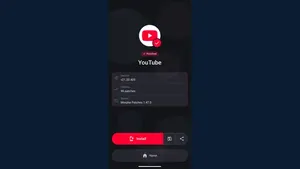
After installation, open Morphe APK and pick a target app. If the patch list is empty, add a patch source first and let it load. Choose Simple mode for curated defaults or Expert mode to pick patches one by one, then run the patch and install the patched copy when prompted. If the patched app needs sign in, install MicroG RE first and sign in inside the patched app.
Test with one short video or song before settling in. Check playback, background play and the patches you care about on that one item. When the first item plays well, the patched copy is ready for daily use, and the patch choices that worked can be kept for the next target app.
Safety and Verification
Every guide on this site is checked on real Android phones before it is published, and the steps above were tested the same way. That testing covers installation, patch selection, patching, installing the patched copy and sign in, because those are the moments where a bad guide wastes an evening.
Two honest limits apply to this app. First, no official store listing could be verified, so this site cannot point to a store page as proof of the publisher's identity. Second, no download file is linked on this site yet, so there is no file here whose size or signature this site could verify, and the download page says so instead of pretending otherwise.
To stay safe, keep the device's security settings as they were after installation, update Morphe APK and patch sources from the project itself, and do not grant permissions that have nothing to do with patching or installing. A patcher needs storage, install and network access. It does not need contacts, messages or call access.